
Today we present to you the Ecommerce SEO Checklist. A full guide to improving your online store performance on the search engine to control the market. In e-commerce, having the product doesn’t mean that you will stay up there in page no. 1 of the SERP. You have to make some effort to win that deal. And in this article we are giving you the full checklist that will help you stay on top.
Whether you are launching a new store or improving an existing one, the right SEO strategy can attract qualified visitors without relying entirely on paid advertising. From keyword research and product-page optimization to technical SEO and local visibility, these 29 steps cover the essential tasks your business should prioritize.
What Is E-commerce SEO?
E-commerce SEO is the process of optimizing an online store so search engines can discover, understand, and rank its pages for relevant queries. It includes optimizing product pages, category pages, site structure, content, technical performance, and backlinks.
For example, an online furniture store might optimize category pages for the phrase “modern dining tables” and individual product pages for specific table models. This helps connect potential customers with the right products when they search online.

Unlike general website SEO, e-commerce SEO must also address challenges such as duplicate product descriptions, changing inventory, product variations, and large numbers of URLs. A well-planned checklist helps manage these challenges while supporting visibility and higher conversion rates.
What Is an E-commerce SEO Audit?
E-commerce SEO follows the same principles as SEO, but it also accounts for the specific needs of an online store. Optimization focuses on the products themselves, and the process goes far beyond content updates or keyword stuffing. It involves auditing the entire website, including performance, image presentation, content, keywords, and whether each page satisfies the searcher’s intent.
- Technical SEO: Crawlability, indexability, XML sitemaps, HTTPS, and website speed.
- On-page SEO: Product titles, headings, descriptions, URLs, and metadata.
- Content quality: Duplicate descriptions, missing information, and keyword targeting.
- Off-page SEO: Backlinks, brand mentions, and website authority.
- User experience: Mobile usability, site navigation, and Core Web Vitals.
The outcome should be a prioritized action plan, not just a report listing errors. A practical checklist turns audit findings into clear tasks with measurable goals.
One quick note: this article looks at the topic strictly from an SEO perspective, not a GEO perspective. You may ask, what is the difference? There is no fundamental difference between them, which is why we will focus on SEO throughout this article without discussing GEO separately. The improvements you make for Google or Bing can also help you improve your visibility in AI search results, whether on ChatGPT, Gemini, or other platforms.
Why Is It Important to Monitor Your Online Store Regularly?
Online stores are constantly changing: new products are added, discontinued items disappear, categories evolve, plugins introduce new features, and the platform you built your store on may receive updates. These changes can create unexpected problems, such as broken links or unwanted design changes. That is why you need to monitor your website, or, more accurately, your store continuously.

Regular audits help you:
- Identify technical issues before they affect important pages.
- Improve the visibility of products and categories.
- Protect organic traffic during website updates and redesigns.
- Discover content opportunities based on customer searches.
- Improve the shopping experience across desktop and mobile devices.
- Measure progress and prioritize improvements according to business value.
In this article, we’ll share a checklist of important items to review periodically in your online store. Following it can help you maintain stronger, more consistent search engine rankings over time.
Why Do Many New Store Owners Make SEO Mistakes?
Many new store owners focus on product selection, website design, and advertising, leaving SEO until after launch. As a result, they may publish hundreds of products without keyword research, copy descriptions directly from manufacturers, or overlook technical settings that prevent important pages from being indexed.
Another common mistake is treating SEO as a one-time task. Search behavior, inventory, competitors, and website performance change over time, making ongoing maintenance essential.
A comprehensive checklist addresses these issues early. It combines technical fundamentals, relevant content, easy navigation, and ongoing performance monitoring instead of relying on keyword placement alone.
Ecommerce SEO Checklist: 29 Essential Steps
Use the following checklist to review your store regularly. Our recommended approach is to start with the fundamentals, then optimize product pages, improve technical performance, and strengthen your site’s authority.
Core SEO Tasks
1. Maintain an Updated List of Keywords, Phrases, and Search Intent
Focus on the keywords that matter to your store, especially those with commercial intent. Why? Because you run a store and want to sell the products in your catalog. Commercial keywords are used by people who are looking to make a purchase or find a specific product. For example, if you run a home-furnishings store, relevant phrases might include “ergonomic office chair for back support” or “living room lamp.” These describe product attributes that people search for when they are ready to buy, so your store should cover them.

But don’t stop there. Informational keywords such as “game room improvement tips” or “how to furnish your home in a modern style” can also be valuable. Although they may not show immediate purchase intent, you can use them in your store’s blog through content creation to attract more visitors and guide them toward your store.
2. Set Up Google Search Console
Register for and connect your website to Google Search Console. This is a foundational step you should not overlook. It lets you monitor your site from Google’s perspective, see which pages are performing properly, identify pages that need to be indexed, review performance results, and access other information every SEO specialist should understand.
Keep one important point in mind: SEO requires attention to how Google sees your site. Connecting Search Console is not optional; it is essential. Submit your sitemap to Google and monitor your search traffic and website performance there.
3. Set Up Bing Webmaster Tools
Google is not the only search engine. Bing Webmaster Tools lets you monitor your website’s performance in Bing. Although Bing has a smaller search share than Google, it still offers a valuable opportunity for visibility. Bing also supports Windows search and Microsoft Copilot, making it important to ensure your site is compatible with it.

4. Submit Your XML Sitemap
Here’s a simple question: would you leave home and travel to an unfamiliar destination without a map? Probably not. The same idea applies to Google. You don’t want Google or another search engine to navigate your site without a sitemap. Submit your sitemap through Search Console or Bing Webmaster Tools, and make sure it is free of issues. Rather than submitting only one sitemap, consider submitting the relevant sitemap indexes and child sitemaps as well. This can help search engines understand your website more easily.

For example, if you use a sitemap such as the one generated by Rank Math on WordPress, the main sitemap is divided into child sitemaps. Each child sitemap covers a different section of the site, making it easier for search engines to process your content.
5. Install an SSL Certificate.
Secure your store with HTTPS so data is transferred over an encrypted connection. Make sure the entire website, including product pages, uses HTTPS, rather than securing only the checkout page.
Redirect HTTP URLs to their HTTPS equivalents, update internal links, and fix mixed-content warnings. A secure website can also help customers feel more confident while browsing and making purchases.
6. Create a Repeatable SEO Process for Every Page
Use the same quality-control process whenever you publish a product, category, or informational page. Check keyword targeting, the H1 heading, URL, title tag, meta description, image alt text, internal links, and indexing settings.
A documented workflow makes the checklist easier to maintain as your catalog grows and reduces the risk of publishing incomplete pages.
Product Page SEO Checklist
Product pages connect searchers with the items they want to buy. Optimize them for relevant queries while providing enough information to support informed purchasing decisions.
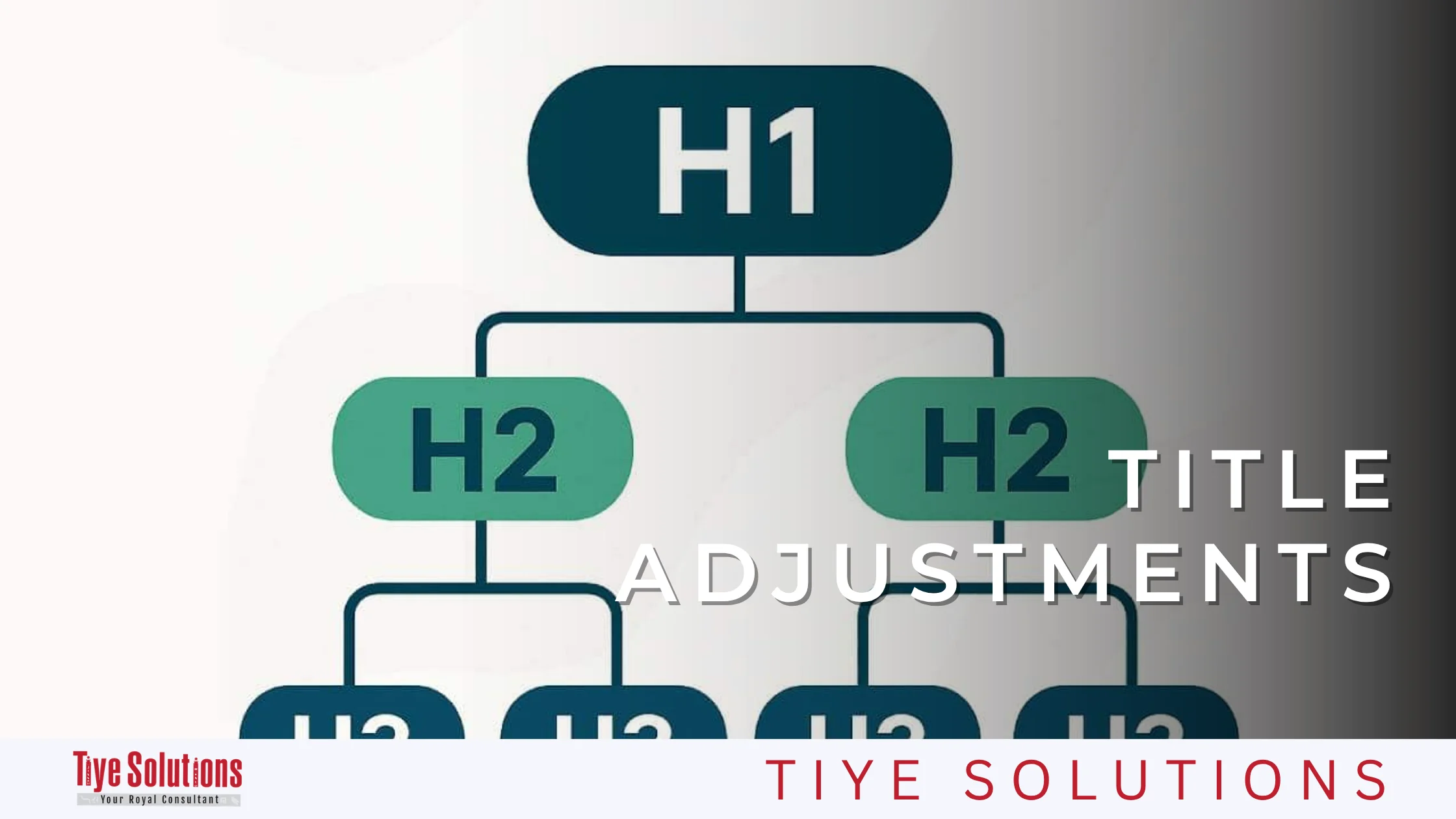
7. Use the product name as the H1 heading.
Give every product page a clear, descriptive H1 heading that identifies the item. Include the primary keyword naturally where appropriate.
For example, “extendable oak wood dining table” is more descriptive than a generic heading such as “Product Details.” Keep the heading accurate and aligned with the page content.
8. Use Related Terms in H2 Subheadings
Organize supporting information under descriptive H2 headings. Depending on the product, these sections might cover dimensions, materials, features, compatibility, care instructions, or delivery information.
Use relevant search terms where they fit naturally. Don’t add headings just to repeat keywords; prioritize clear organization and useful information.
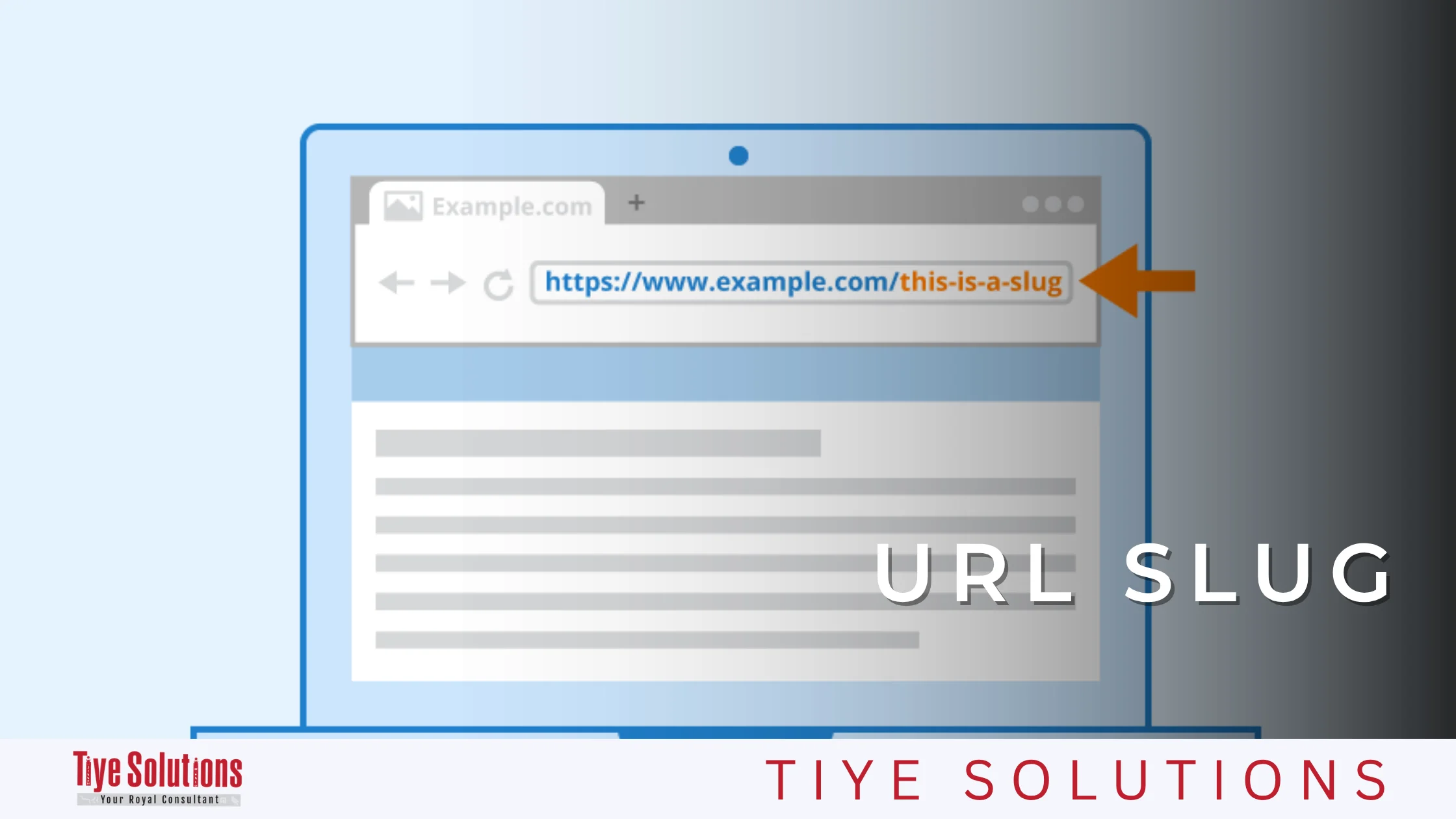
9. Include the Product Name in the URL.
Create short, readable URLs that describe the product, such as /products/oak-extendable-dining-table.
Avoid unnecessary parameters, random strings, and excessively long URLs. If you change an existing URL, implement an appropriate redirect and update internal links so users and search engines can still reach the new page.
10. Add FAQs Where Appropriate
Answer real customer questions about sizing, compatibility, installation, shipping, returns, or product care. These answers can resolve uncertainty and make product pages more useful.
Keep the information accurate and specific to the product. FAQ content can help search engines understand a page, but it does not guarantee featured snippets or special search-result displays.
11. Link Products to Relevant Categories
Make sure every important product is accessible through the appropriate category page and clear navigation. For example, a dining table should appear in the relevant dining-room furniture category.
Use breadcrumbs and links to related products to help visitors explore your catalog. Avoid leaving valuable product pages isolated from the rest of your site.
12. Optimize Product Images and Write Descriptive Alt Text
Use clear, high-quality product images that represent the item accurately from useful angles. Compress image files, choose appropriate dimensions, and use modern image formats where your website supports them.
Write meaningful alt text that describes the image, such as “extendable oak dining table with six chairs.” Avoid keyword stuffing or reusing identical descriptions for unrelated images. Decorative images should generally have empty alt attributes.
13. Write a Unique Meta Title for Every Important Page
Your title tag should describe the product and communicate its relevance to the searcher. For example: “Extendable Oak Dining Table | Brand Name.”
Keep titles concise, specific, and distinct across your catalog. Search engines may rewrite titles, so focus on accuracy and usefulness rather than treating a specific character count as a strict rule.

14. Write a Compelling Meta Description
Summarize the product’s main benefits and give searchers a reason to visit your page. You might mention the material, available sizes, delivery options, or another genuine selling point.
Write a unique description for every important page. Meta descriptions are not a direct Google ranking factor, but a relevant description can help users understand the result and may influence clicks.
Advanced SEO Tasks
15. Add Appropriate Schema Markup to Each Page
Structured data helps search engines interpret information on your website. Product pages may benefit from Product and Offer schema, while eligible review information and breadcrumbs can use their own relevant schema types.

Make sure all structured data matches the visible page content, and validate it with Google’s Rich Results Test. Correct markup can make a page eligible for enhanced search appearances, but it does not guarantee them.
16. Use Relevant Anchor Text for Internal Links
Internal links connect related pages and help search engines discover your content. Use meaningful anchor text such as “explore wooden dining tables” instead of vague phrases like “click here.”
Link category pages to relevant products and connect buying guides to the products they discuss. Keep links useful for readers and avoid forcing exact-match keywords into every anchor.

17. Eliminate Duplicate Content
E-commerce websites often generate duplicate or near-duplicate pages through product variations, filters, sorting parameters, and descriptions copied from manufacturers.
Write original product copy wherever possible, review URL variations, and use canonical tags or other appropriate technical controls. Redirect obsolete URLs when needed. Don’t automatically delete similar pages without first checking their purpose, traffic, and backlinks.

18. Review Suspicious Backlinks
Audit your backlink profile for unnatural link patterns and potentially manipulative link-building activity. Prioritize investigation instead of automatically labeling unfamiliar links as harmful.
Google generally handles many low-quality links without requiring action. Review its link spam policies to understand risky practices, and consider disavowing links only in appropriate circumstances, such as a substantial pattern of artificial links that could lead to a manual action.
19. Build Trustworthy, Genuinely Useful Pages
Create comprehensive pages that answer important customer questions and demonstrate your knowledge of your products or industry. Examples include buying guides, product comparisons, size guides, and detailed category landing pages.
Support your claims with reliable sources and first-hand experience where possible. Authority comes from relevance, usefulness, and credibilitynot simply from publishing longer articles.
20. Create Supporting Pages That Link to Important Pages
Create related content around your key categories and products. For example, a store that sells coffee machines could publish guides on choosing a machine, cleaning the equipment, and comparing brewing methods.
21. Improve Website Speed, Especially on Mobile
Slow pages frustrate shoppers and contribute to lost visits. Compress images, reduce unnecessary scripts, improve caching, and review your hosting performance.
Test representative product, category, and checkout pages with Google PageSpeed Insights. Prioritize fixes that affect real users instead of chasing a perfect score without considering business impact.

22. Improve Core Web Vitals and User Experience
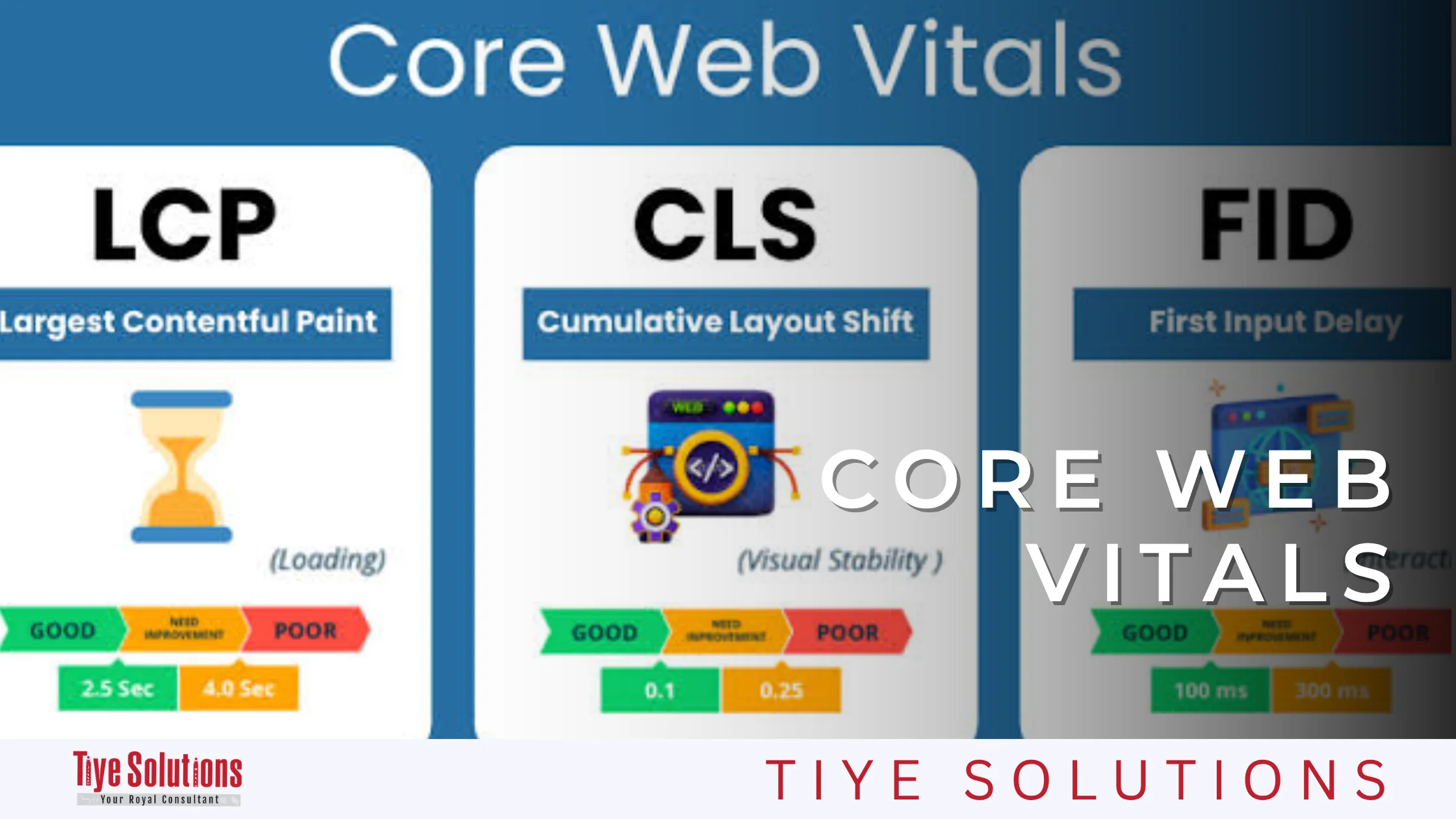
Core Web Vitals measure loading performance, responsiveness, and visual stability through LCP, INP, and CLS. Use Google’s Core Web Vitals guidance to understand these metrics. Also check mobile navigation, text readability, filter usability, and how easy it is to add products to the cart. Your checklist should improve the shopping experience, not just search-engine signals.
23. Find and Fix Broken Links
Check your website regularly for broken internal links, missing pages, redirect chains, and links pointing to outdated products.
Update links to relevant destinations or set up redirects when a suitable alternative exists. For discontinued products, consider whether the page should remain available, redirect to an equivalent item, or return an appropriate “not found” response.

24. Turn Brand Mentions into Backlinks
Look for websites that mention your business or products without linking to your store. Politely contact the publisher and ask whether adding a relevant link would help readers find the product or original supplier. Prioritize legitimate mentions from relevant websites. A link should provide value to the audience rather than exist solely to manipulate rankings.
At this stage, remember that a sound link-building strategy can make a significant difference to your website’s performance. The stronger the strategy, the better the potential outcome, so don’t neglect link building.
25. Contribute Helpful Guest Posts
Guest posts can help establish credibility with Google and search engines. The idea is to have another website recommend your site as a reference or source, effectively signaling that your content is worth citing. When you publish on a reputable website, its reputation can lend credibility to your work.
Local SEO Tasks
Local SEO is especially important if your online store also operates showrooms, physical stores, pickup locations, or clearly defined local service areas. Businesses that operate entirely online without an eligible physical location should not create a misleading local profile.
26. Create or Improve Your Google Business Profile
If your business is eligible, create or update your Google Business Profile. Keep your business name, address, contact details, opening hours, and categories accurate. Add useful photos, respond to reviews, and keep your information consistent. Do not use a virtual office or an ineligible location to create a profile.
27. List Your Business in Relevant Directories
Submit accurate business information to reputable local and industry directories. Prioritize established platforms that customers already use, and keep your business name, address, and phone number consistent.
Avoid bulk submissions to low-quality directories. Relevant listings support discoverability and help customers verify your business details.
28. Optimize a Page for Every Physical Location
If you operate several stores or showrooms, create a useful page for each genuine location. Include its address, opening hours, contact details, directions, available services, and locally relevant information.
Avoid publishing near-identical location pages that offer no unique value. Each page should help customers understand what to expect at that specific location.
29. Contact Tiye Solutions to Improve Your Store’s SEO
Working through an SEO checklist can reveal many opportunities, but implementing the right fixes across a growing catalog often requires technical expertise, content planning, and ongoing monitoring.
Tiye Solutions is a digital marketing agency based in Cairo, Egypt, offering services that include SEO, website management, and digital marketing. Its team can help businesses evaluate their online presence and identify opportunities to improve search visibility.
How Can Tiye Solutions Help with Your Store’s SEO?
An effective e-commerce SEO strategy should begin with an assessment of your website, products, audience, and business goals.
Depending on your needs, an SEO project may include:
- Keyword research and mapping for products, categories, and supporting content.
- Technical audits covering indexing, duplicate URLs, redirects, and site performance.
- On-page optimization for titles, descriptions, headings, and images.
- Content planning that addresses customer questions and commercial search intent.
- Internal-linking and site-structure improvements.
- Performance monitoring through search tools and analytics.
The goal is to prioritize improvements that matter, measure progress, and connect organic search activity to business outcomes. Explore Tiye Solutions’ SEO services or contact the team to discuss your website’s needs.
Conclusion: Put Your E-commerce SEO Checklist into Action
A successful e-commerce SEO strategy combines discoverability, useful content, technical reliability, and a smooth shopping experience. This checklist gives you 29 practical steps for reviewing your store, from keyword research and product optimization to backlinks and local visibility.
Start with the issues most likely to affect important pages: indexing errors, duplicate URLs, missing product information, and poor mobile performance. Then build a consistent process for publishing content, monitoring results, and maintaining your website.
If you need support prioritizing or implementing improvements, contact Tiye Solutions to discuss an SEO strategy tailored to your online store.
Frequently Asked Questions
What Is an E-commerce SEO Checklist?
It is a structured list of tasks for improving an online store’s visibility in search engines. It typically covers keyword research, product-page optimization, technical SEO, site speed, internal links, structured data, content quality, and backlinks.
How Often Should I Audit My Online Store?
Review your website quarterly as a starting point, and run additional audits after major redesigns, platform migrations, catalog changes, or unexpected drops in organic traffic. Larger stores may need more frequent technical monitoring.
What Is the Most Important Part of E-commerce SEO?
No single task guarantees success. Start by ensuring search engines can access and index important pages, then prioritize relevant keywords, useful product and category content, clear site architecture, and a strong mobile experience.
How Long Does E-commerce SEO Take to Show Results?
The timeline varies depending on competition, site authority, technical issues, content quality, and the scope of work. Some technical improvements may produce noticeable changes within weeks, while competitive rankings and sustainable organic growth can take several months or longer.
Can I Do E-commerce SEO Without Hiring an Agency?
Yes. Store owners can handle many tasks themselves using tools such as Google Search Console, Bing Webmaster Tools, and PageSpeed Insights. However, large catalogs, complex technical issues, and competitive markets may benefit from specialist support.
Does E-commerce SEO Increase Sales?
E-commerce SEO can attract interested shoppers and improve product discoverability, creating opportunities for more sales. Actual revenue depends on other factors too, including pricing, product quality, inventory availability, trust, user experience, and checkout performance.
Is Local SEO Necessary for an Online Store?
Local SEO is especially useful for businesses with eligible physical locations, showrooms, or specific pickup services. Online-only businesses without an eligible location should focus on general organic search optimization instead of creating an ineligible Google Business Profile.
Which Tools Should I Use to Audit an E-commerce Website?
Start with Google Search Console for search performance and indexing, Bing Webmaster Tools for visibility in Bing, and PageSpeed Insights for performance testing. Crawling tools and analytics platforms can help identify broken links, duplicate URLs, technical problems, and organic conversion trends.
What Is the Difference Between E-commerce SEO and an SEO Audit?
E-commerce SEO is the ongoing process of improving an online store’s search visibility. An e-commerce SEO audit is an assessment that identifies issues and opportunities. The audit guides the strategy, while implementation and monitoring turn its findings into ongoing improvements.